




Enviado por alejandro_blue el Jue, 12/05/2013 - 02:00.
Revisión de Cifrado de chat de Jue, 12/05/2013 - 02:06
La revisión le permite rastrear las diferencias que hay entre distintas versiones de una entrada.
Este manual le ayudará a aprender cómo cifrar sus mensajes instantáneos y chats.
Software requerido
- Pidgin: Un cliente universal de mensajería instantánea.
- Pidgin-otr: Un complemento para cifrado en Pidgin (Mensajes Fuera de Rgistro, Off-the-Record Message).
Instalación
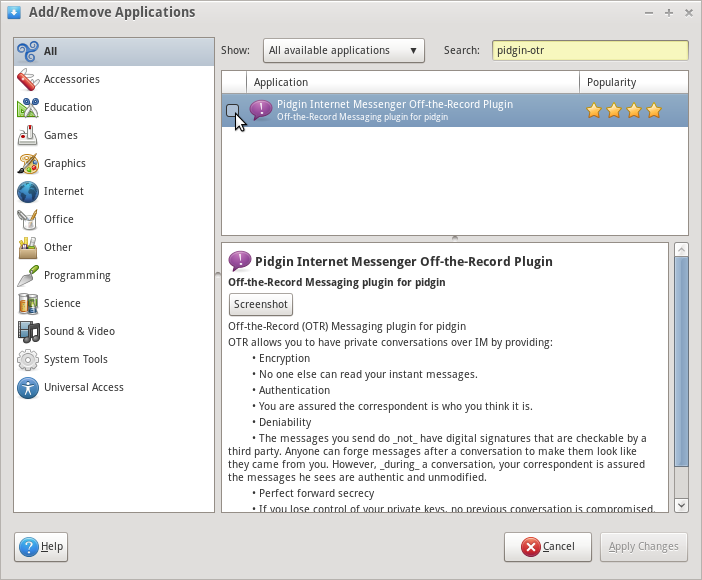
- Pidgin está incluído en Trisquel 4.5 y superior. Pidgin-otr puede instalarse desde Add/Remove Applications program.
Uso
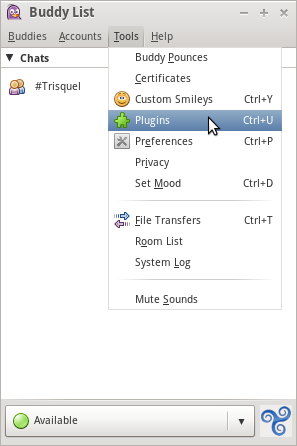
- En la opción Herramientas seleccione Complementos.
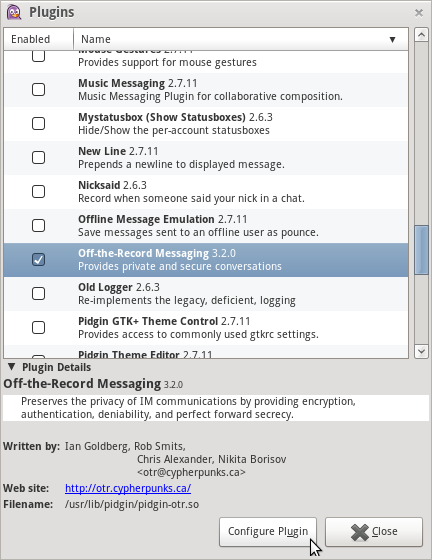
- Seleccione Mensajes Fuera de Registro y haga clic en Configurar complemento.
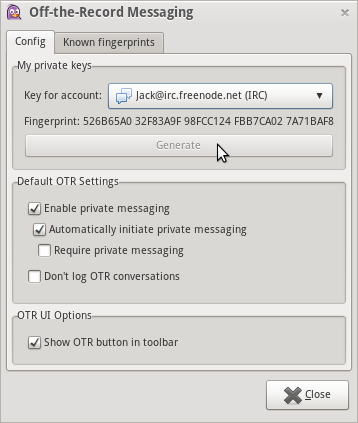
- Haga clic en Generar para generar una clave para su cuenta.
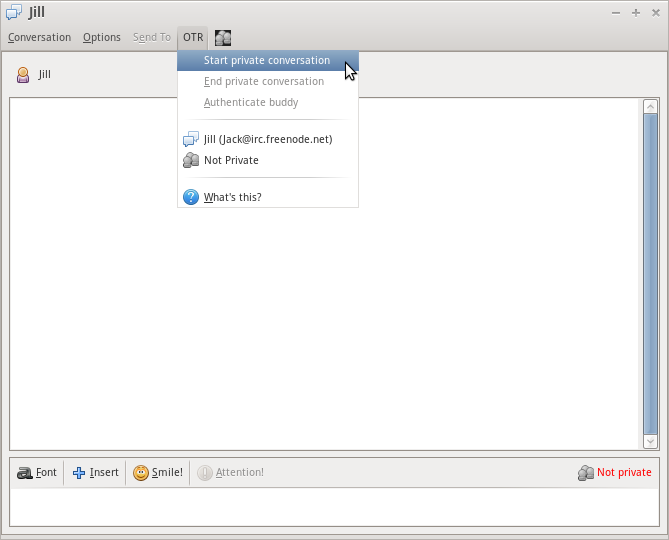
- Cuando intercambie mensajes instantáneos o chats con alguien que también usa OTR, seleccione el menú de OTR Comenzar conversaión privada.
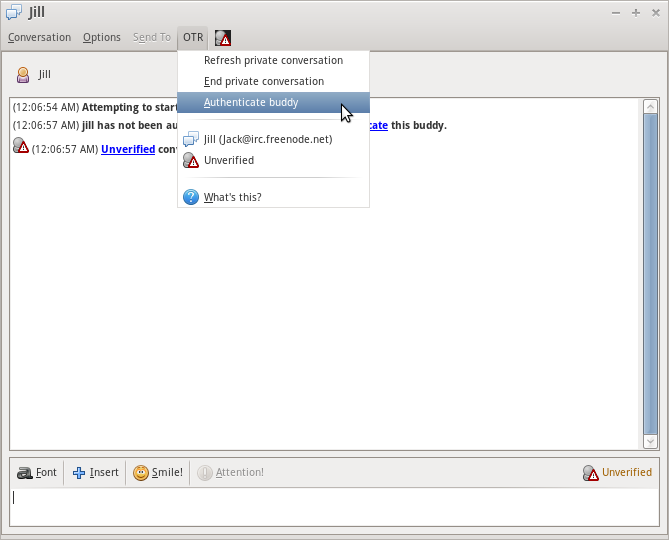
- Select Authenticate buddy also from the OTR drop down menu.
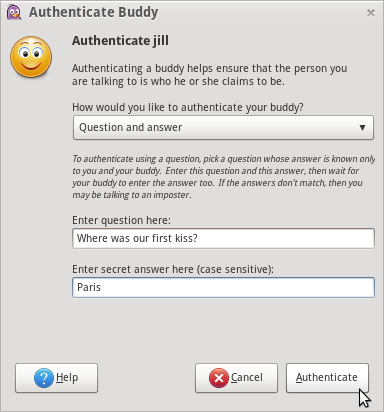
- There are multiple ways to authenticate that the person you are communicating with is the person you believe them to be. For this example we use the question and answer option. You should ask the person you are communicating with a question that only the person you are communicating with would be able to answer.
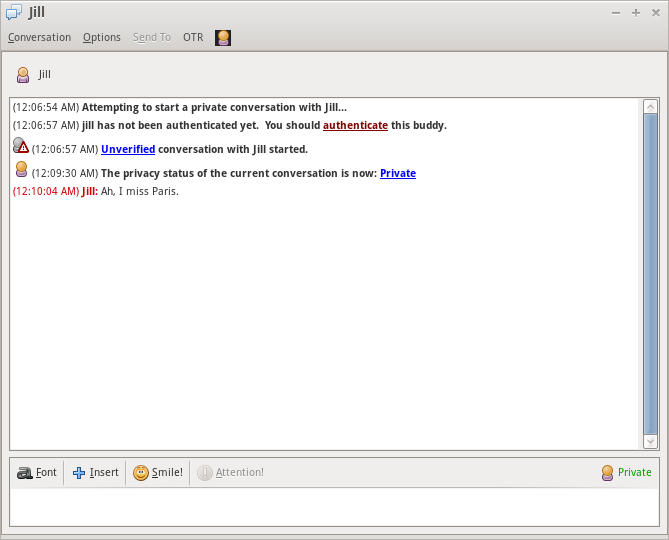
- The chat status will now indicate that this is a Private chat.
Additional Information
- This example uses IRC chat as an example but pidgin-otr also works with other protocols.
- Tor can also be used in combination with this configuration to create anonymous and encrypted chats.

